How to Turn Photos into Coloring Pages: A Complete Guide
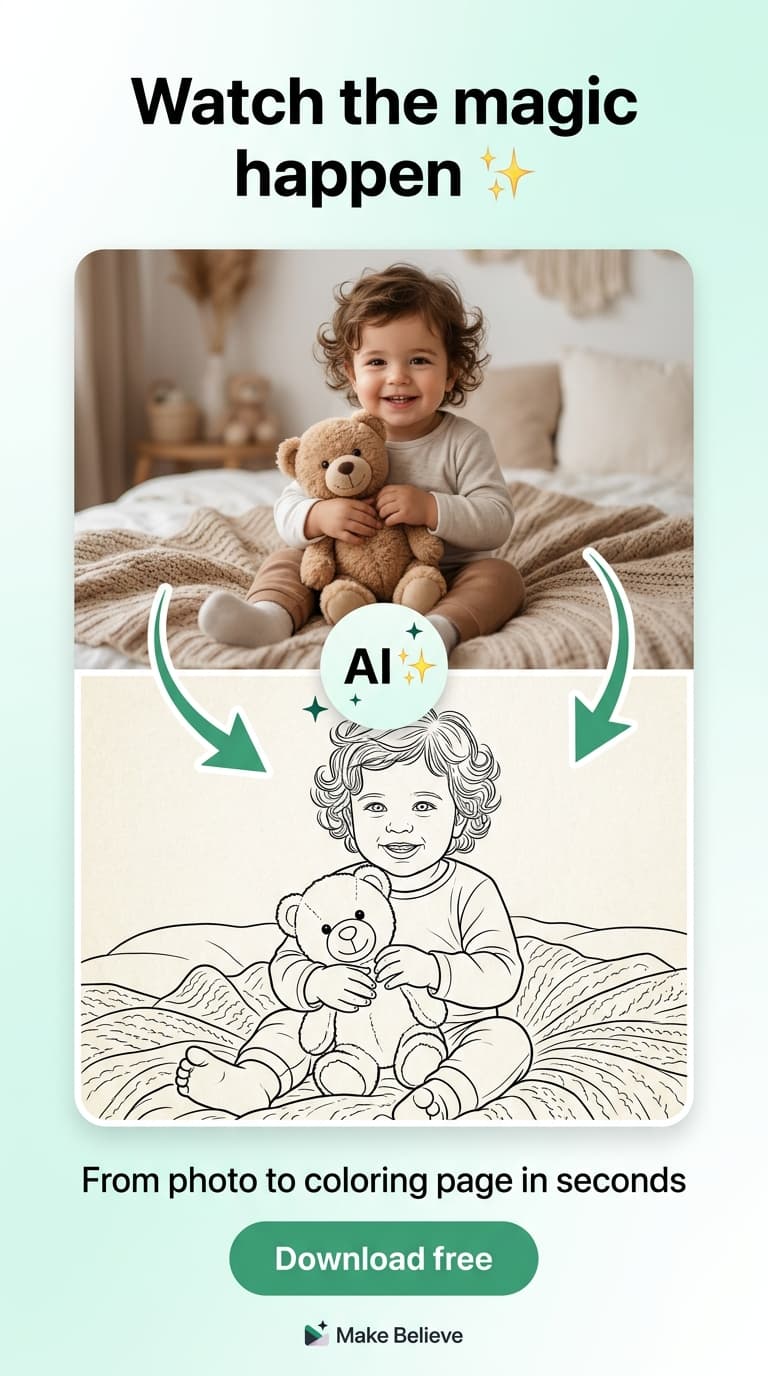
Want to turn your favorite family photos into personalized coloring pages? You're in the right place. In this guide, I'll show you exactly how to transform any photo into a beautiful coloring page using AI — it's easier than you might think.
Why Turn Photos into Coloring Pages?
Personalized coloring pages are incredibly popular with kids (and adults!). When children see themselves, their family, or their pets in a coloring page, they're much more engaged than with generic characters.
Benefits include:
- Kids get excited about coloring pictures of themselves and loved ones
- Creates meaningful, personalized gifts for birthdays and holidays
- Encourages screen-free creative play
- Preserves family memories in a unique, interactive format
Method 1: Use the Make Believe App (Easiest & Best Results)
The easiest way to turn photos into coloring pages is using the free Make Believe app. Here's how:
Step 1: Download the App
Download Make Believe from the App Store or Google Play. It's completely free to start — no credit card required.
Step 2: Upload Your Photo
Open the app and tap to upload a photo. You can choose from your device's gallery, cloud storage, or take a new photo directly.
Best photo tips:
- Clear, well-lit photos work best
- Good contrast between subject and background
- Portraits, pets, and group photos all work great
Step 3: Let AI Do the Magic
The app's AI analyzes your photo and creates a beautiful line-art version in seconds. The AI preserves important details like facial features while creating clean, colorable lines perfect for kids.
Step 4: Print or Download
Download your coloring page as a high-quality PDF. Print at home on any printer, or order a professionally printed hardcover book.
Try It Free
Download Make Believe and turn your first photo into a coloring page in under 2 minutes.
Download Free AppMethod 2: Other Approaches (Manual)
There are other ways to create coloring pages from photos, though they're more time-consuming and don't produce as clean results:
Photo Editing Software
Programs like Photoshop or GIMP can convert photos to line art, but this requires:
- Expensive software (Photoshop) or steep learning curve (GIMP)
- Manual adjustments for each photo
- Technical knowledge of filters and layers
- Results often need additional cleanup
Online Converters
Some websites offer photo-to-coloring-page conversion, but:
- Quality varies significantly
- Privacy concerns with uploading personal photos
- Often watermarked or require payment
- Limited customization options
Our recommendation: For the best results with the least effort, use Make Believe. The AI-powered transformation produces clean, child-friendly coloring pages in seconds.
Tips for Great Coloring Pages
Follow these tips to get the best coloring pages from your photos:
- Choose high-quality source photos — Clear, sharp images with good lighting produce the best results. Avoid blurry or dark photos.
- Simple backgrounds work best — Busy backgrounds can clutter the coloring page. Photos with simple backgrounds or close-up portraits work beautifully.
- Consider the age of the colorer — For younger children, simpler images with fewer details are easier to color. Older kids can handle more complex designs.
- Test different photos — Some photos transform better than others. Try a few different images to find the ones that work best.
What Can You Create?
Once you've turned photos into coloring pages, here are some ideas:
- Family coloring books — Create a book featuring every family member
- Pet coloring books — Kids love coloring their dogs, cats, and other pets
- Vacation memory books — Relive trips through coloring
- Birthday party favors — Custom coloring pages of the birthday child
- Grandparent gifts — A personalized book featuring grandchildren
- Class projects — Create coloring pages for school activities
Frequently Asked Questions
Is it free to turn photos into coloring pages?
Yes! The Make Believe app is free to download and you can create unlimited coloring pages for free. Downloading PDFs to print at home is also free.
What file format do I get?
Coloring pages are available as high-quality PDF files, perfect for printing on any home printer. They're also optimized for professional printing if you order a book.
Are my photos private?
Yes. Your photos are encrypted and never shared with third parties. You maintain complete control and can delete your photos at any time.
Can I use any photo?
Family photos, pet pictures, vacation shots — almost any photo works. For best results, use clear, well-lit images. The app handles portraits, groups, pets, and more.
Start Creating Today
Ready to turn your family photos into beautiful coloring pages? Download the Make Believe app and start creating in minutes. It's free, easy, and the results are magical.
Related Articles
Explore: Custom Coloring Books • Personalized Coloring Books • How It Works